
Instagram Updates You Should Know

Instagram was constantly updating its platform to improve ease of use, and this post describes 7 new features you might have missed. They were Notes, Quiet Mode, Hidden Word, Topics, Scheduling, music for static posts, and tools to stop spam comments. The post explains how to use Quiet Mode, Hidden Word, Topics, Scheduling, and spam comment controls.
Instagram is constantly updating it's platform to improve ease of use.
It might be hard to keep up with the ever changing features so keep reading to find out 7 new features you might have missed.
What is Notes? a new way to share your thoughts with mutual followers and close friends.
What is Quiet Mode? Automatically pause notifications at a certain time.
How to do this?
Head to settings
Click notifications
Select quiet mode
Turn on quiet mode, and choose your preferred time
What is Hidden Word? have you ever seen accounts you don't even follow pop up in your feed? With this new instagram feature you can stop suggested posts for 30 days.

How to do this?
Next time you see a suggested post in your feed
Click on the three dots
Select 'snooze all suggested posts in feed for 30 days' and voila!
Or, you can choose to not see certain posts by clicking 'don't suggest posts with certain words' and type the desired words. Instagram will stop suggesting posts with these words or hashtags.
What are Topics? this allows you to reach a wider audience of your target audience with reels.
When you're about to post a reel:
Click topics
Select up to 3 topics that resonates most with your reel
How can you schedule posts directly in the Instagram app? you can now schedule posts directly in the instagram apps!
Click the more button (3 horizontal bars)
Tap scheduled content
Tap schedule now to schedule your posts
Can you add music to static posts? you can now add music to static posts
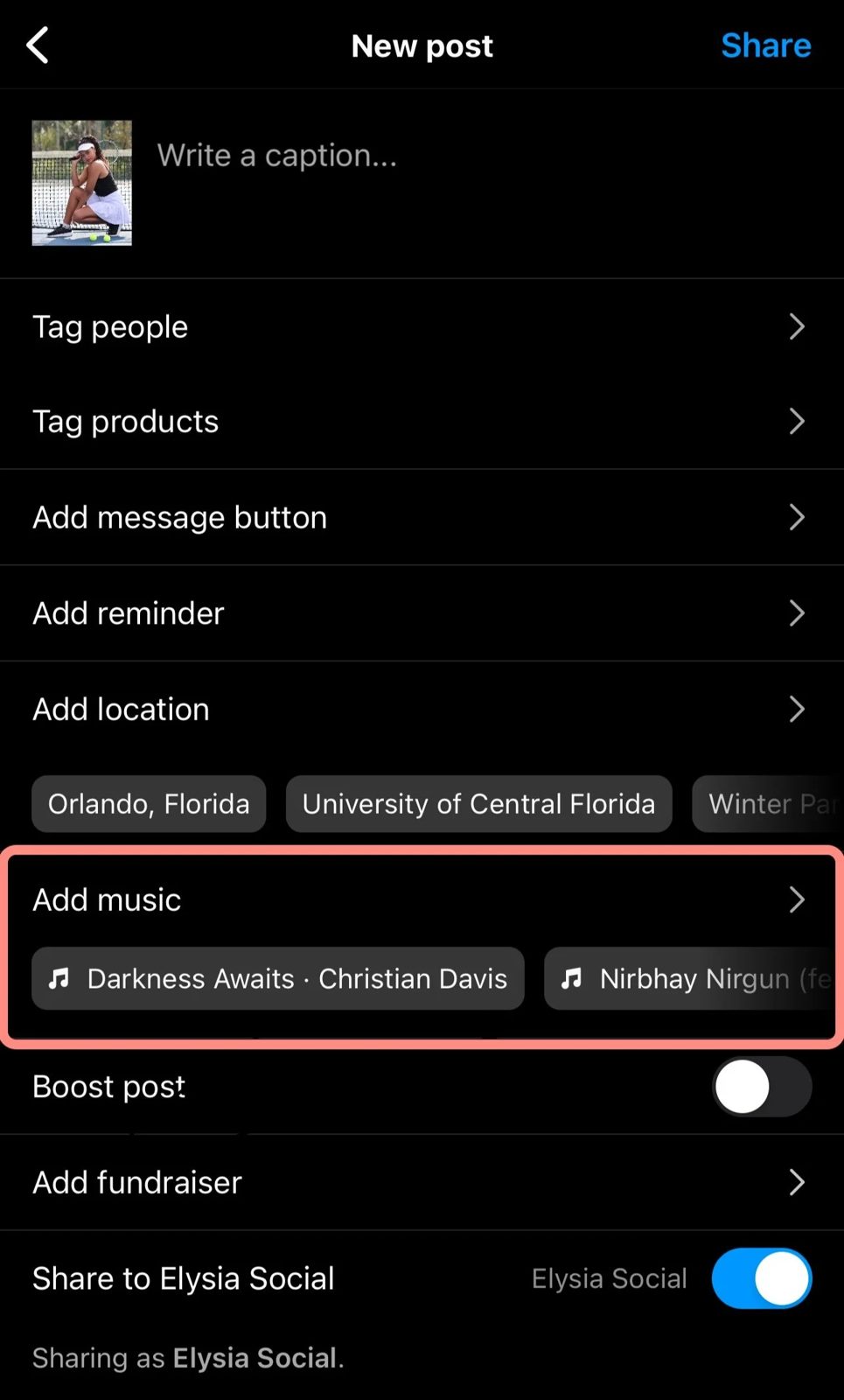
How can you stop spam comments? that moment you send out an amazing post and you instantly get 2 new comments, you think it's an amazing post and it turns out to just be spam. You can now minimize that.

Go to settings
Select privacy
Tap hidden words
Scroll down to 'custom words for messages and comments'
Click hide comments
Tap 'manage custom words and phrases'
Enter common spam words
Ex: DM pic on, send pic on, promote it on etc.
It's only the beginning of March and Instagram has already rolled out so many new features this year, no doubt they aren't stopping.
Check back here every month for a new blog post about all things social media, and follow us on instagram @ElysiaSocial click the icon below!
Explore our services to see how branding, social media management, content creation, paid advertising, website design, and email campaigns can support Instagram, or book a strategy call to discuss your goals.
Frequently Asked Questions
What Instagram updates are described in this post?
Notes, Quiet Mode, Hidden Word, Topics, Scheduling, music to static posts, and tools to stop spam comments.
What is Notes?
Notes is a new way to share your thoughts with mutual followers and close friends.
What does Quiet Mode do?
Quiet Mode automatically pauses notifications at a certain time.
Can Elysia Social help with Instagram?
Yes. Elysia Social offers branding, social media management, content creation, paid advertising, website design, and email campaigns. Over 6 years in the industry, serving clients across 20+ industries. You can book a 30-minute consultation via HoneyBook to discuss your goals.